In this article, I will explain how to configure Homepage Sections in Speedix CMS, and more importantly, how to use them strategically.
What We’re Building
Before opening CMS settings, let’s start with the target outcome.
Below is the ideal homepage structure.
A homepage that:
- Guides traffic toward high-margin verticals
- Signals liquidity and trust
- Balances retention and acquisition
- Controls psychological positioning
- Avoids clutter and confusion
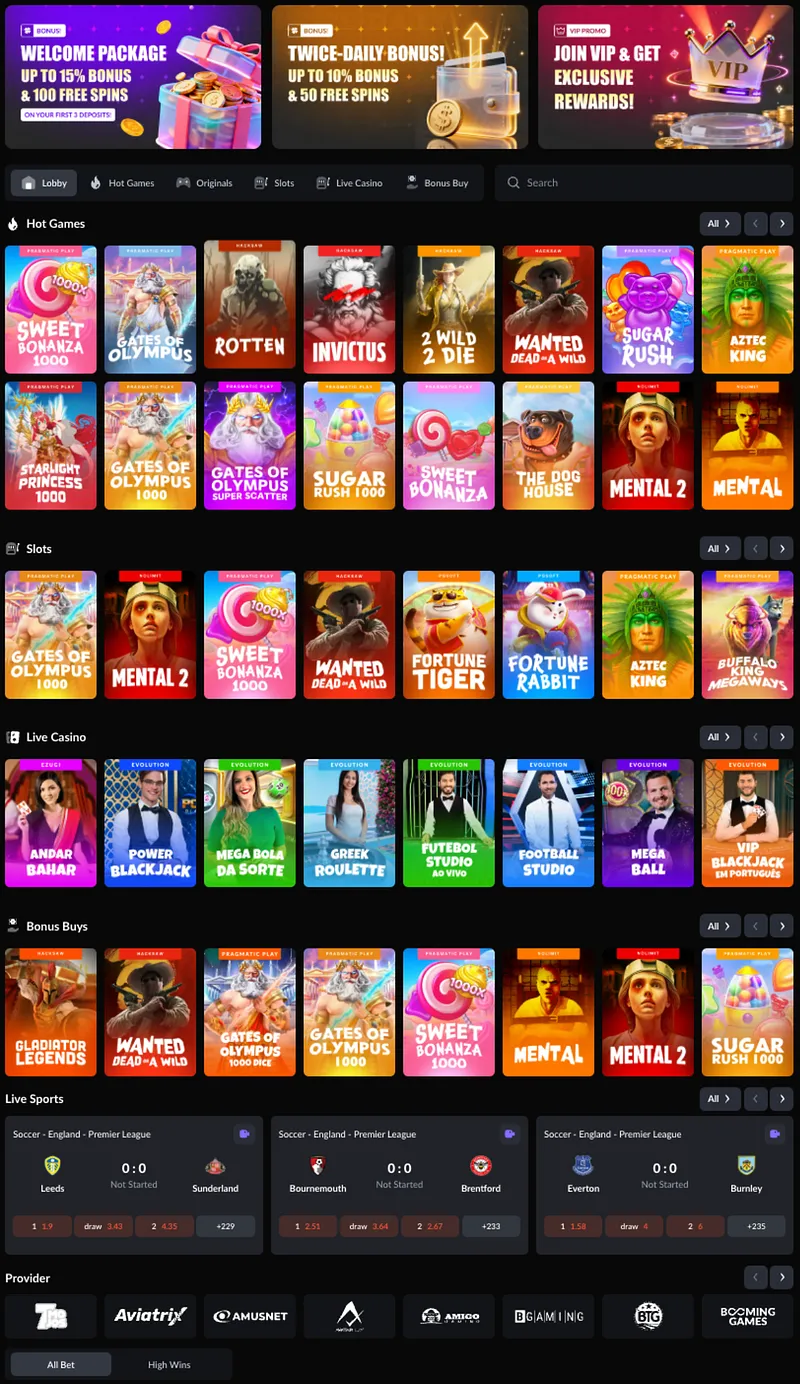
They are your traffic allocation map.
Configuration is located at:
CMS → Home Page Config → Homepage Sections

Step 1: Switch to Custom Configuration
Just like Sidebar and Bottom Navigation:
- Switch to Custom Config
- Modify modules
- Save Configuration
- Apply Configuration
Homepage Modules Overview
Each of these plays a different psychological and revenue role.
Let’s break them down.
1. High Wins — Social Proof Engine
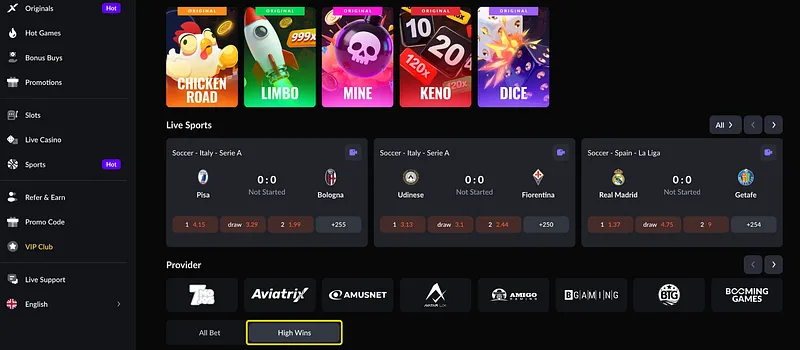
High Wins displays recent big wins such as: “woigel +17,561.70 USDT”

It serves:
- Social proof
- Liquidity illusion
- Urgency trigger

Fake liquidity destroys long-term trust.
2. Banner — First Impression & Campaign Layer
Banner configuration includes:
- Enable toggle
- Auto Play
- Interval (seconds)
- Items Per View (Mobile / PC)
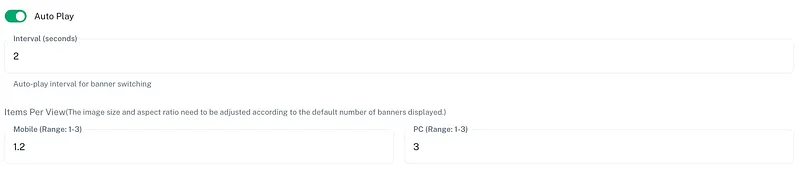
Auto Play interval:
Too fast → looks aggressive. Too slow → loses attention.
This determines banner density.
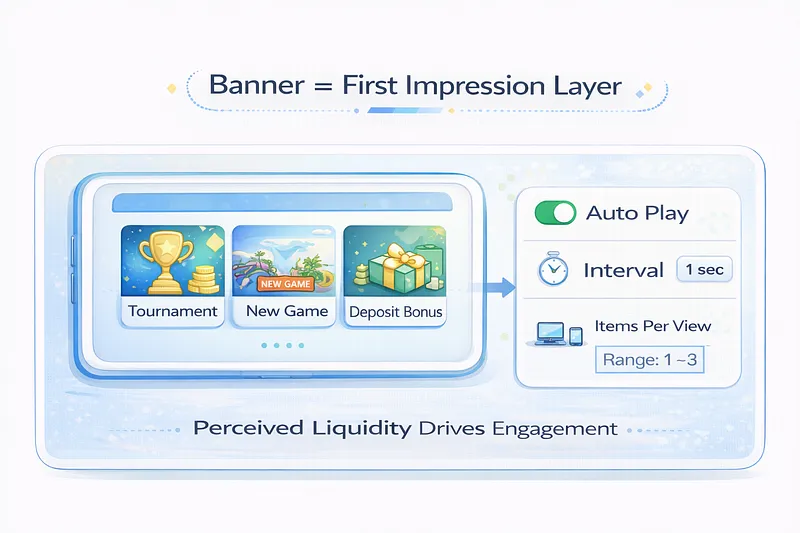
Banner is where you:
- Promote tournaments
- Highlight new game launches
- Push deposit bonuses
- Signal major events
Do not overcrowd banners. Professional platforms: 2–3 banners max.
3. Featured Games — Traffic Distribution Core
This is the most important homepage section. Default tags include: Lobby — Hot Games — Originals — Slots Live — Live Casino — Bonus Buy
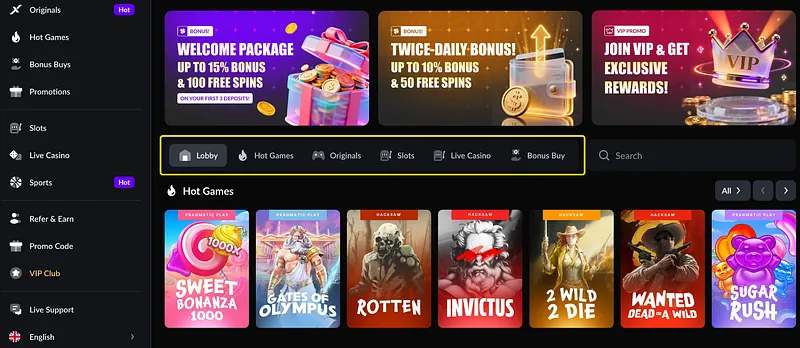
This is where strategy begins.
Inside Featured Games, you can configure:
- Game Tag
- Lobby Tab Icon
- Custom Color
- Display Name (multi-language)
- Display Rows
- Max Display Count
- Add Independent Tag
- Add Game Section

3.1 Hot Games Section
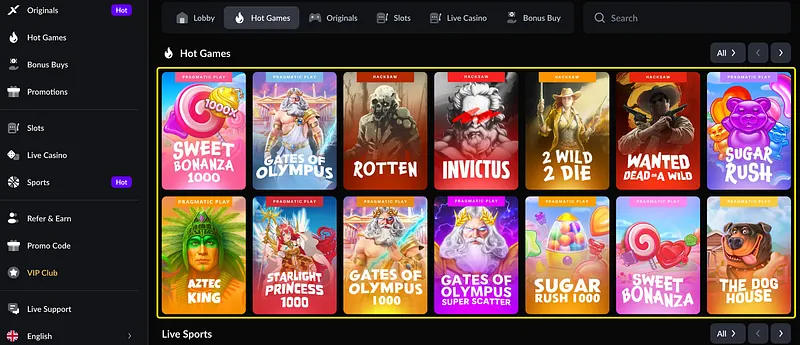
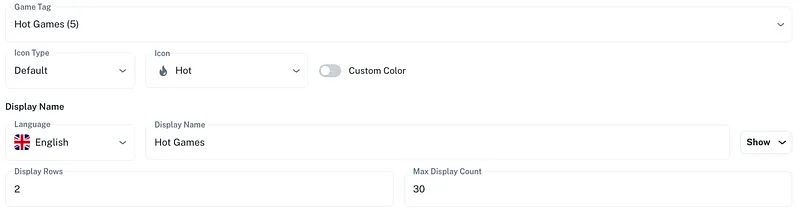
Configurable:
- Icon Type
- Display Rows
- Max Display Count (e.g., 30)
Hot Games is not random.
You should:
- Prioritize high-margin games
- Balance RTP perception
- Rotate providers
Do not let one provider dominate unless contractually required.
3.2 Slots Section
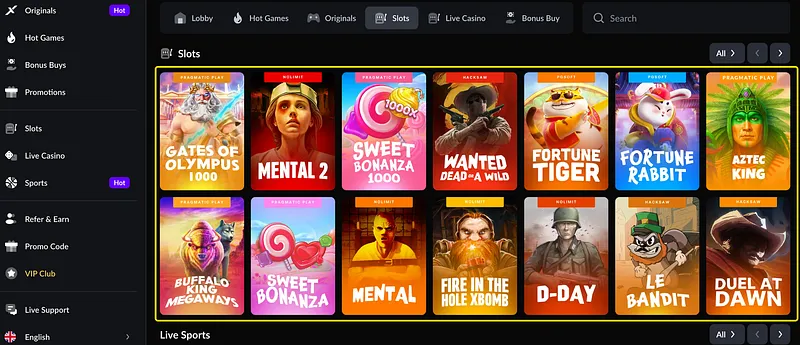
Slots configuration includes:
- Language display name
- Rows
- Max display count
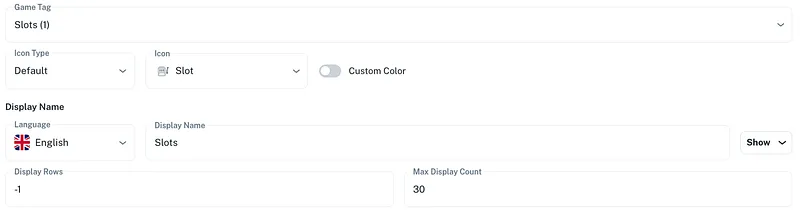
Slots is usually your retention engine.
Too many games: User paralysis. Too few: Looks empty.
Optimal range: 24–36 visible at first scroll.
3.3 Live Casino
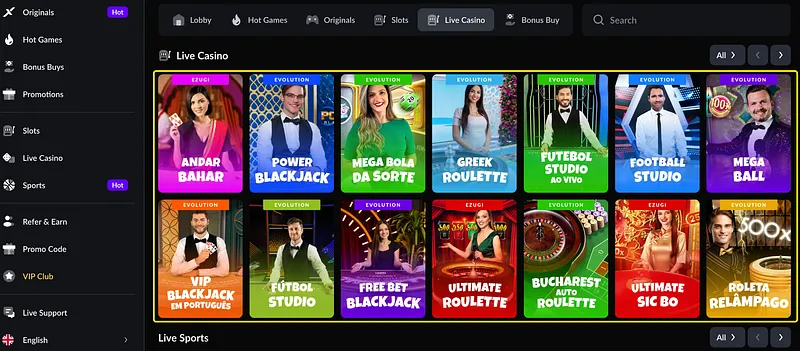
Includes:
- Game Tag (e.g., Live Casino (2))
- Icon
- Display Rows
- Max Display Count (30)
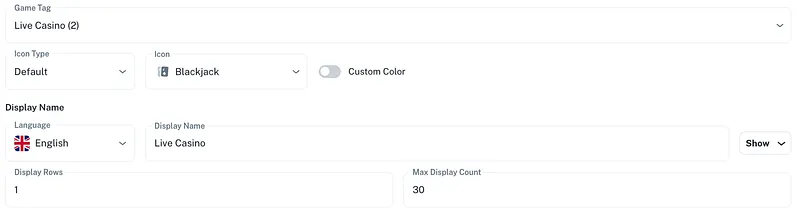
Live Casino builds trust perception. Even if volume is lower than slots, visibility increases legitimacy.
3.4 Bonus Buys
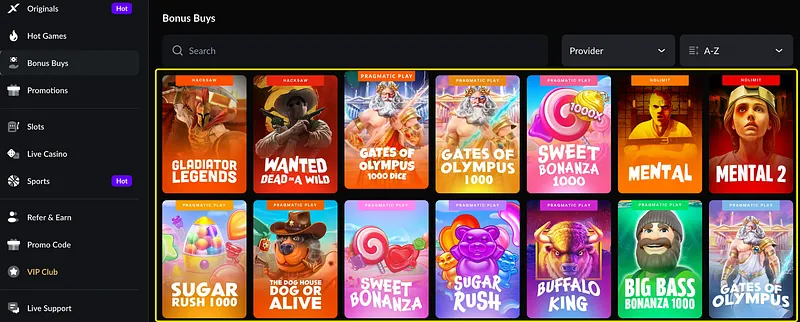
This section attracts:
- High volatility players
- Stream-influenced users
- Crypto-native audiences
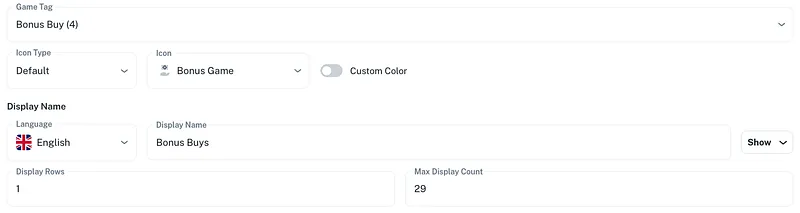
But caution: Bonus Buy increases risk exposure.
Position strategically.
4. Sports Section
Sports can be toggled Enable/Disable.
If Sports is enabled: It must match your bottom navigation logic.
Do not enable Sports homepage module if sportsbook liquidity is weak. Nothing damages credibility more than an empty sportsbook.
5. Providers Section — Strategic Visibility
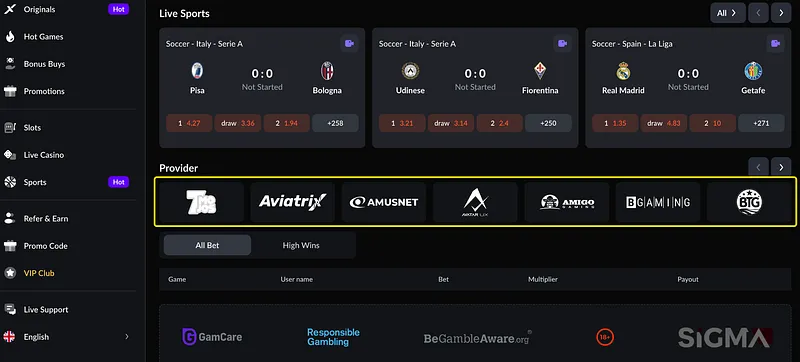
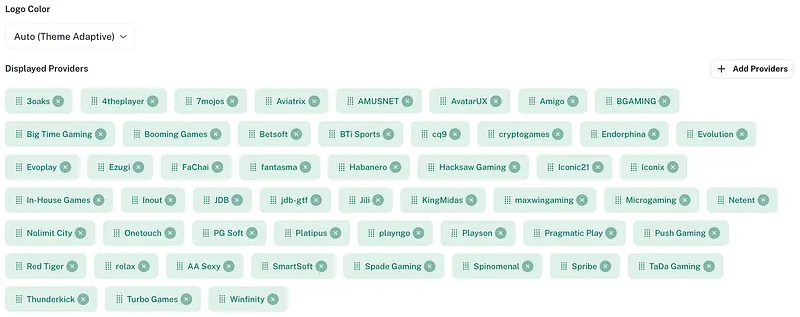
Under Providers, you can configure:
- Logo Color (Auto Theme Adaptive)
- Displayed Providers
- Add Providers
Providers section serves:
- Brand credibility
- Licensing perception
- Partnership signaling
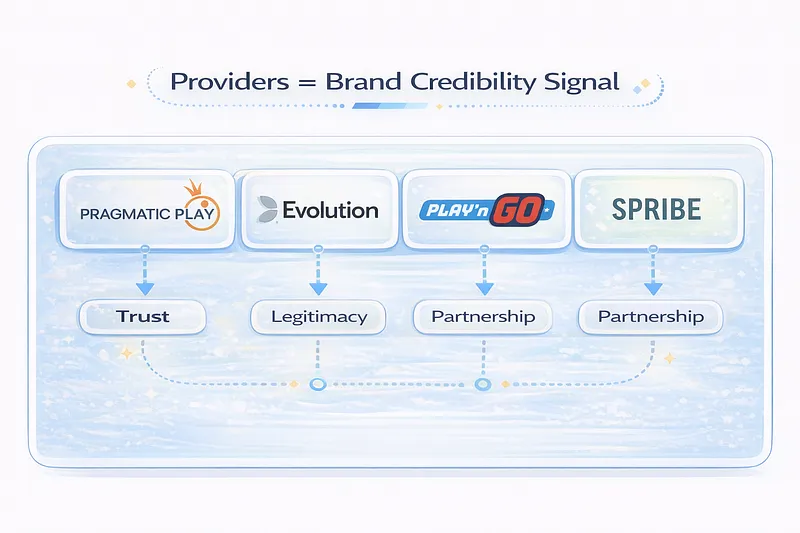
Do not display providers that are inactive. Operators often make this mistake.
6. Live Bets
This is powerful for sportsbook-heavy operators.
Live betting increases:
- Engagement frequency
- Session time
- Emotional attachment
But if sportsbook feed latency is high, disable it.
Homepage Section Strategy Principles
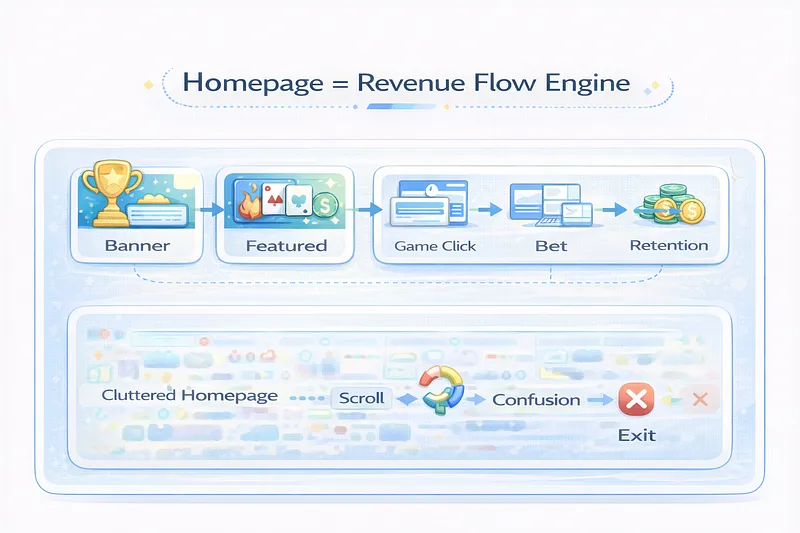
Here is the core logic: Homepage = Revenue Map
Every section answers:
- Where do I want traffic?
- What margin structure do I prioritize?
- What player segment am I targeting?
Example strategies:
- Slots-heavy operator: Banner → Slots → Hot → Bonus Buy
- Sports-heavy operator: Banner → Sports → Live Bets → Casino
- Crypto-native operator: Bonus Buy → Originals → High Wins
Homepage ordering is psychological positioning.
Reminder
After editing: Click Save Configuration and Apply Configuration.
Final Thoughts
Building a gambling platform is not about stacking features. It is about controlled visibility. And Homepage Sections are not just design modules.
Speedix CMS gives flexibility. But flexibility requires discipline.
If you configure Homepage Sections randomly, you create noise. If you configure them strategically, you create flow.
And in this industry, flow equals revenue.