This article explains how to configure the Sidebar Menu in Speedix CMS, and more importantly, why sidebar navigation design directly impacts revenue structure, user behavior, and long-term platform sustainability.
What We’re Building
Before opening any CMS settings, let’s define the final result.
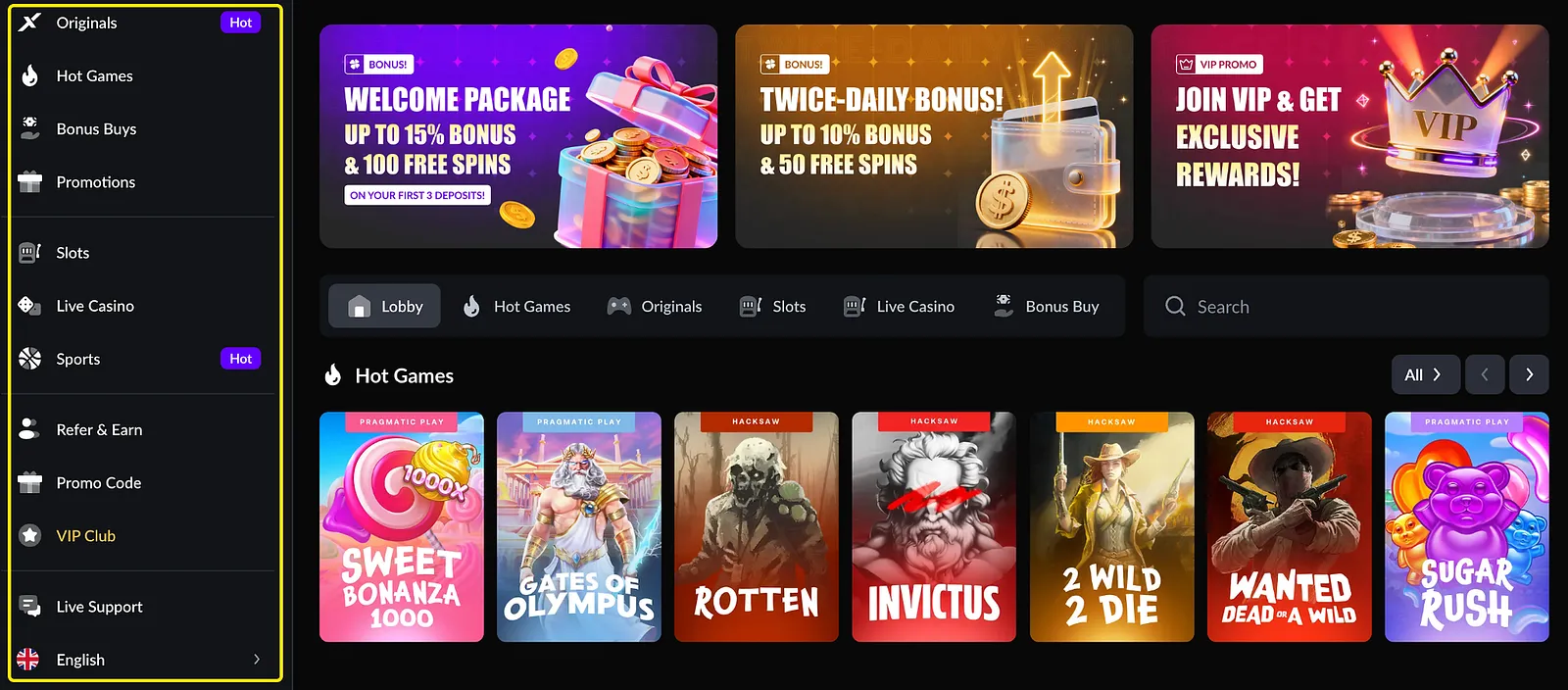
Below is the target Sidebar structure:
- Business-priority categories on top
- Monetization-focused sections highlighted
- Clean grouping
- Action-trigger entries
- Logical traffic routing
The sidebar is not a list. It is your traffic allocation structure.
What This Looks Like in the CMS
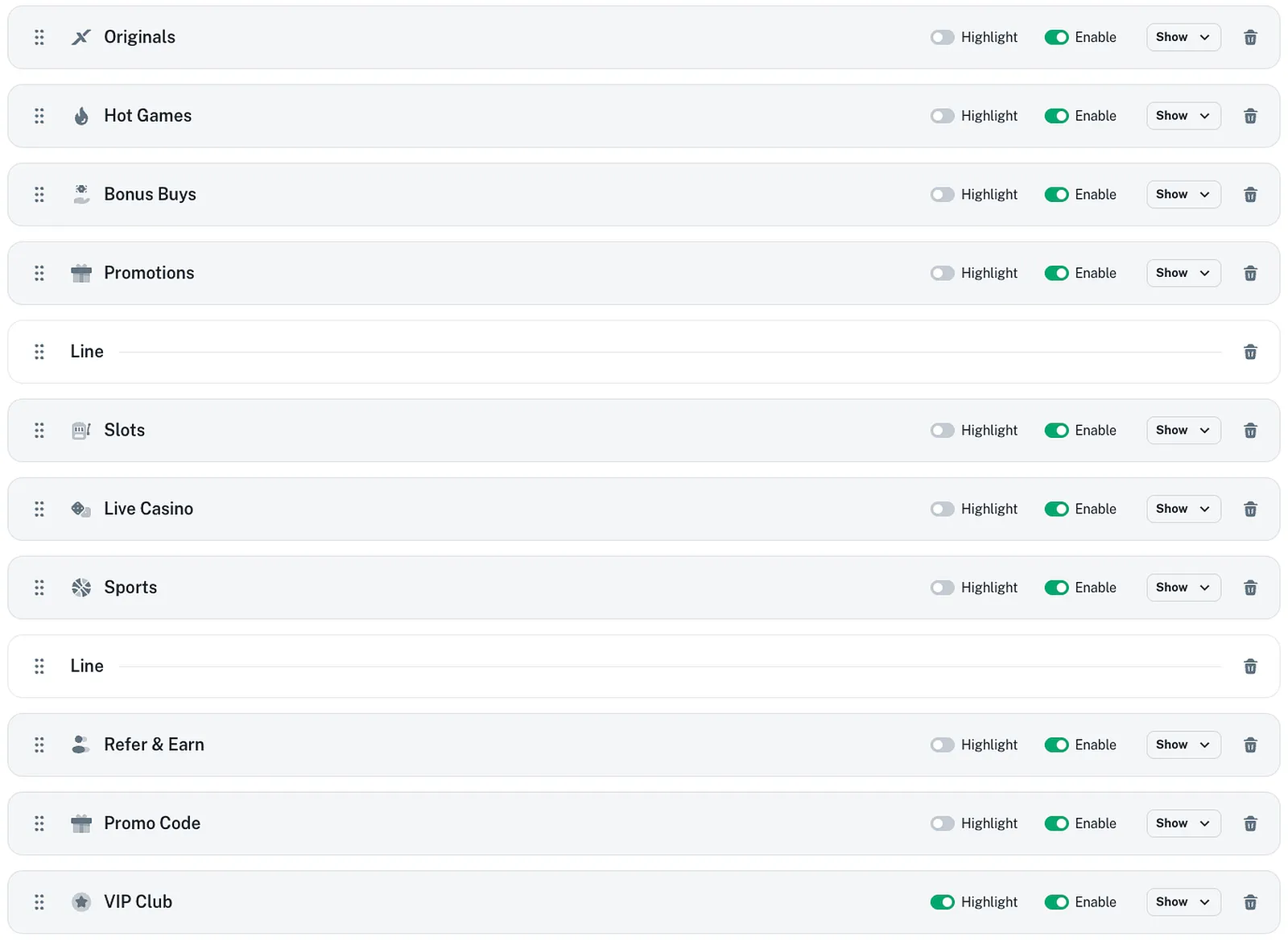
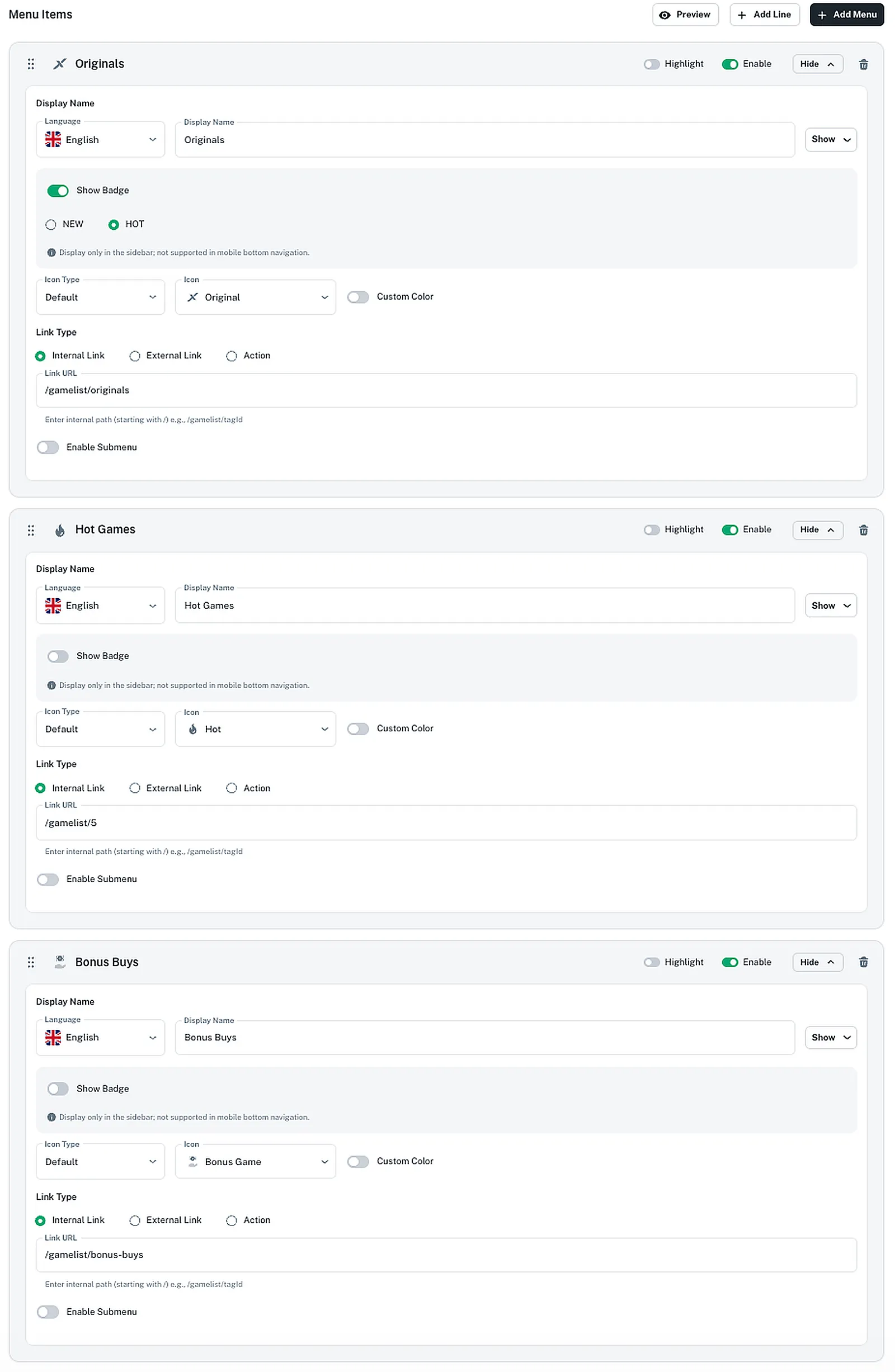
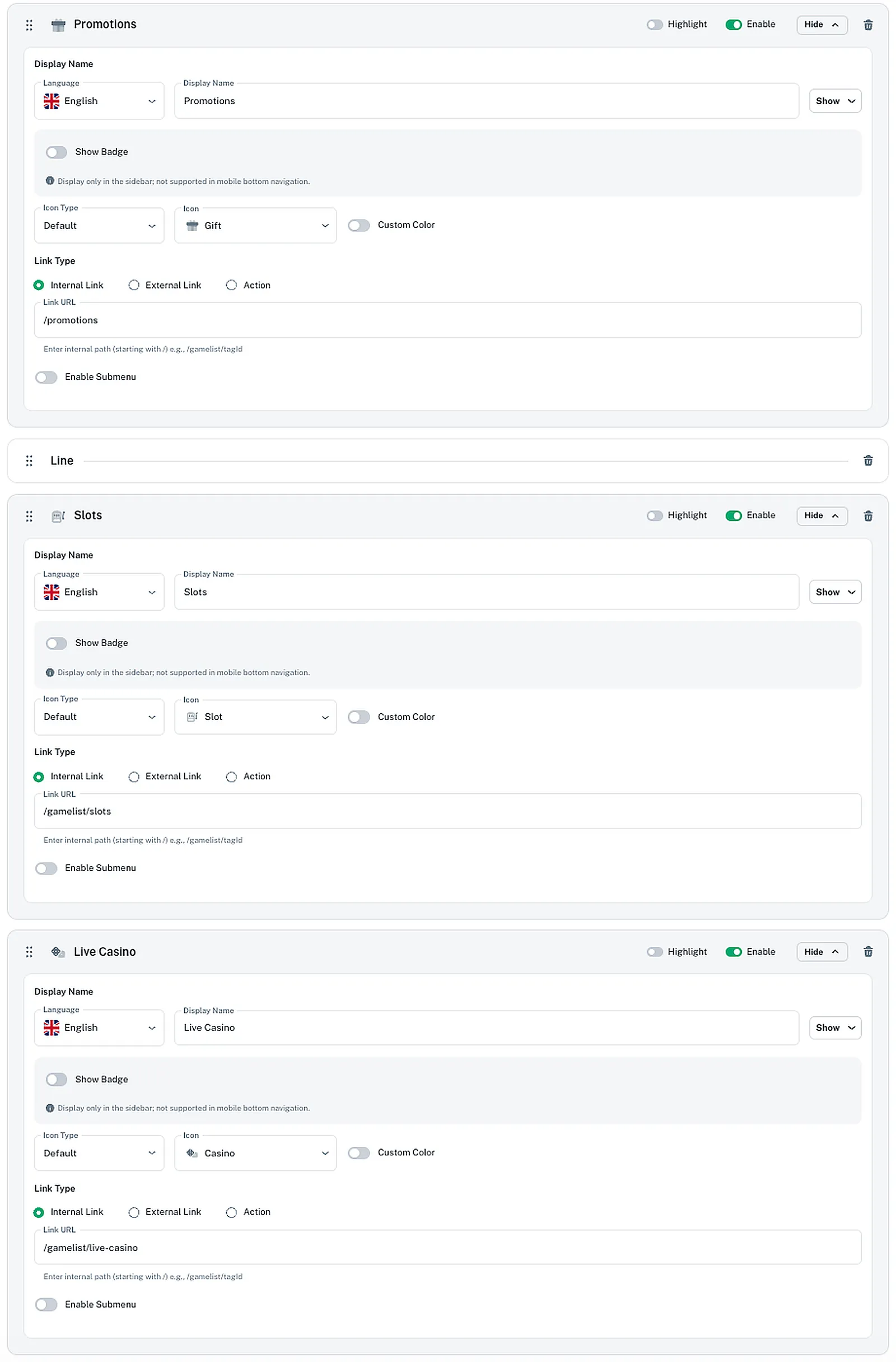
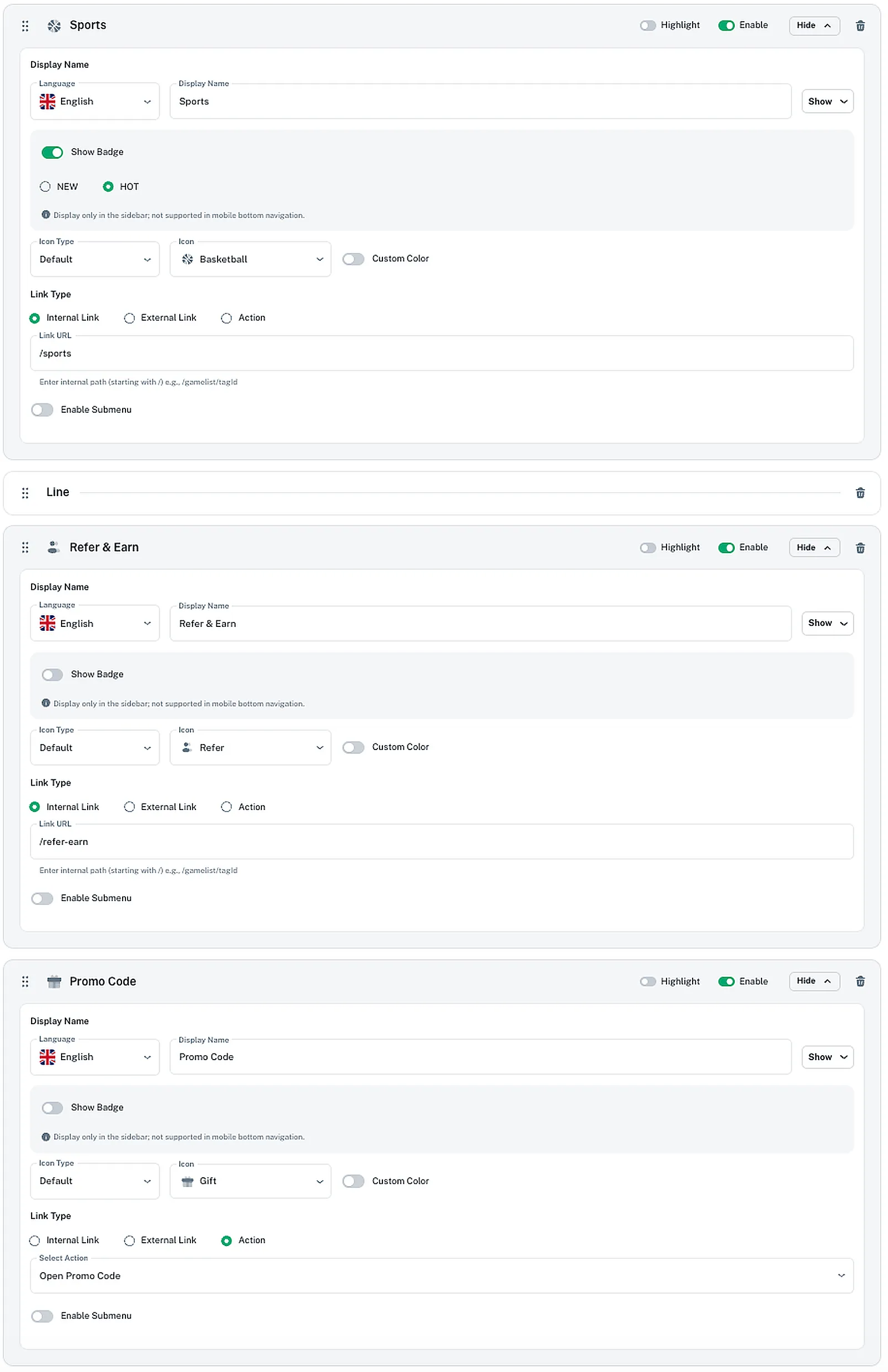
To generate the exact sidebar above, your backend configuration must reflect the same order and enable state.
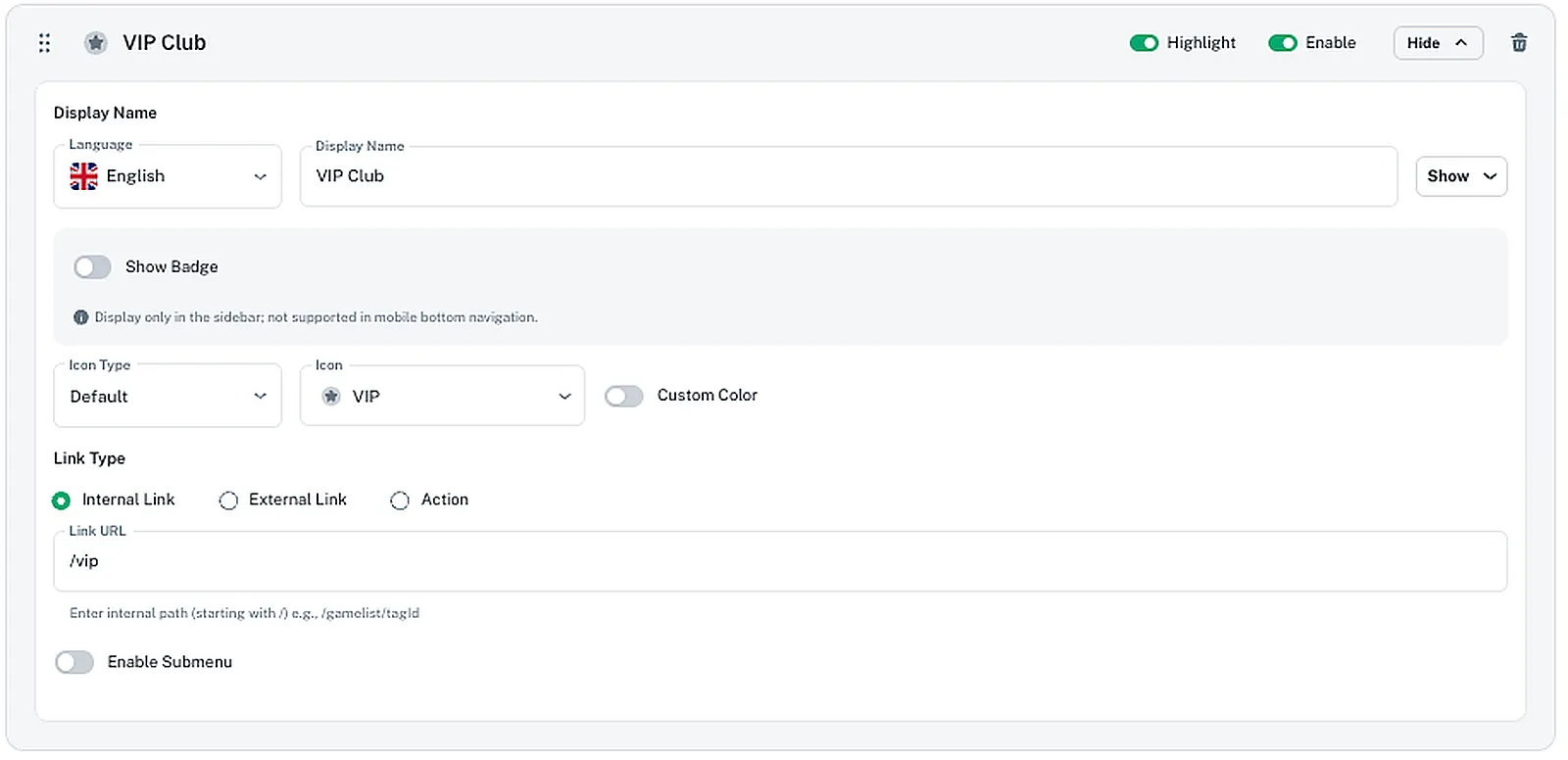
Below is the completed CMS configuration.
Key Principles
- Sidebar order in CMS = Sidebar rendering order on frontend
- Enable toggle in CMS = Visibility control on frontend
- Highlight toggle = Behavioral prioritization signal
If the CMS structure is wrong, the frontend experience is wrong.
Why Sidebar Menu Matters in an Online Casino Platform
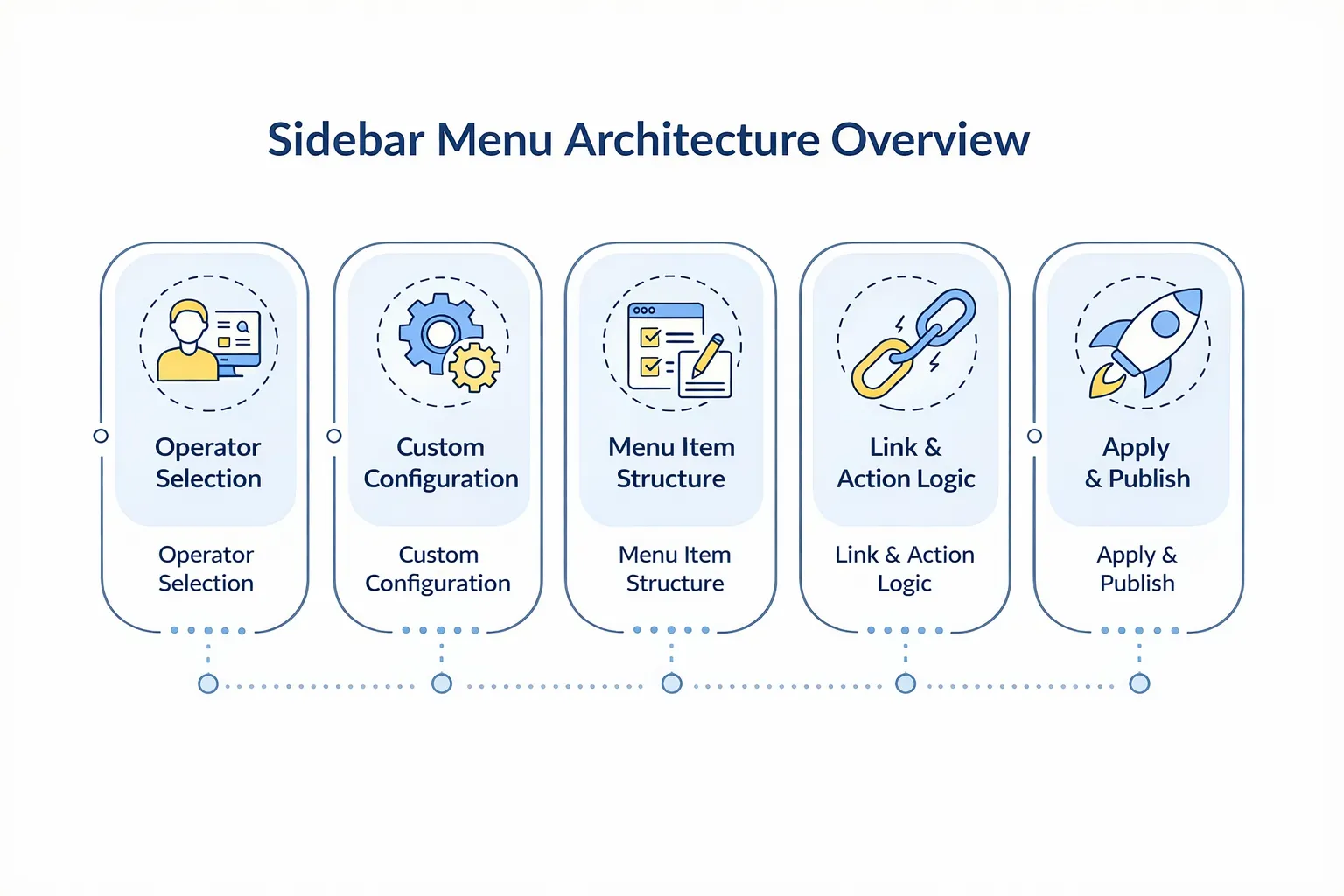
In Speedix CMS, sidebar configuration is fully customizable, but it must be done correctly.
How to Achieve This Configuration
Inside Home Page Config, there are three main sections:
- Sidebar Menu
- Bottom Navigation
- Homepage Sections
This guide focuses on Sidebar Menu.

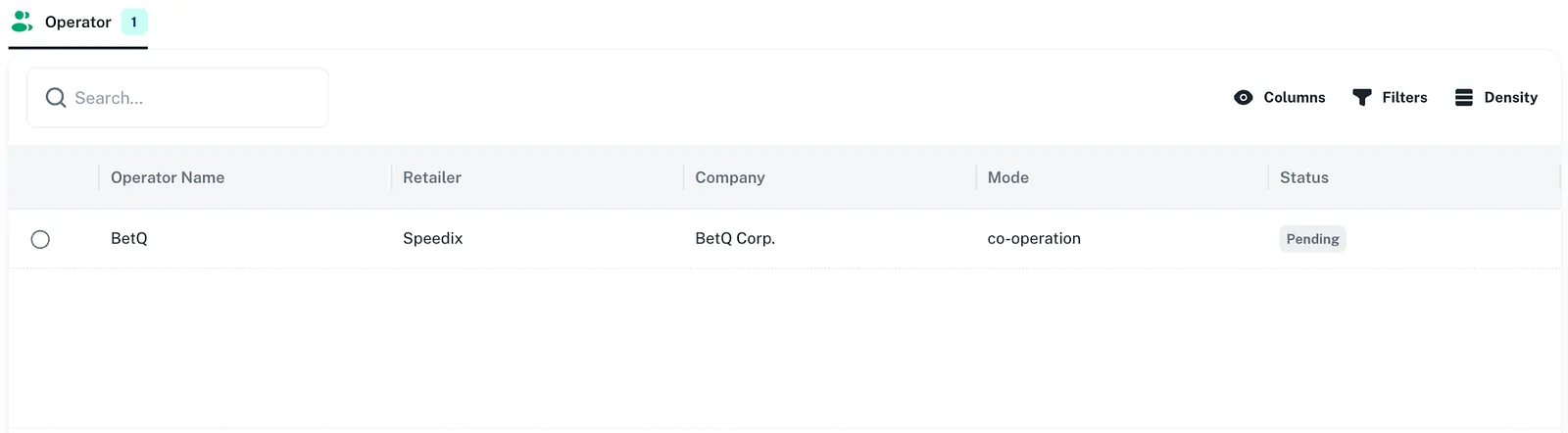
Step 1: Select Operator Before Editing
When entering:
CMS → Home Page Config
Select the correct Operator before editing.
Step 2: Switch from Default Config to Custom Config
By default, the system shows:
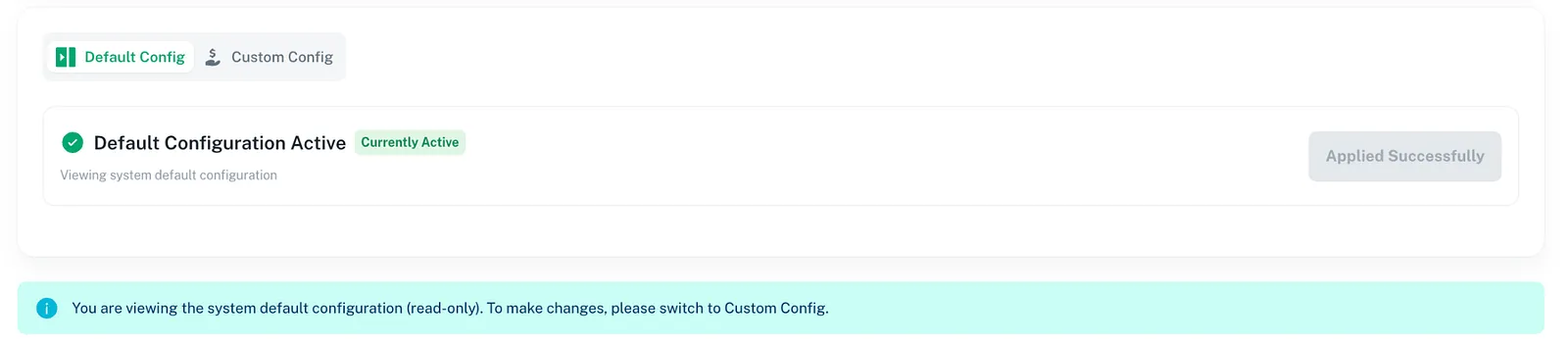
This configuration is read-only and follows the system’s default settings.
To edit:
- Switch to Custom Config
- Modify items
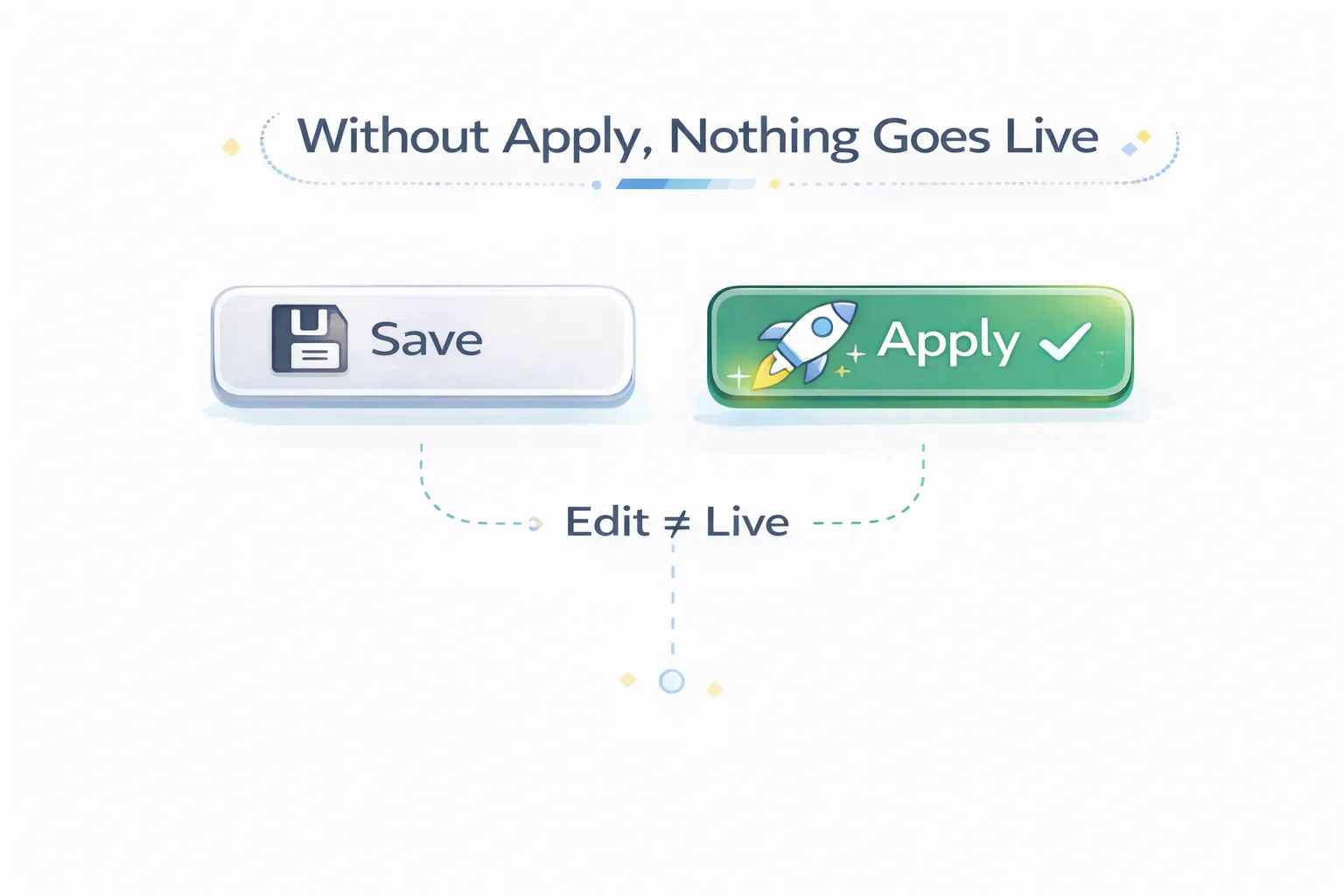
- Click Apply Configuration
Revenue-Driven Sidebar Ordering Strategy
A profitable sidebar is not alphabetical.
It reflects:
- Margin structure
- Liquidity depth
- Player acquisition source
- Retention mechanics
Example structure:
- High-margin slots first
- High-frequency sports second
- Promotional triggers above utility links
Navigation order influences behavioral flow.
Strategic Use of Badges (NEW / HOT)
Badges are not decorative. They signal monetization focus.
Use cases:
- Mark Sports as HOT during tournaments
- Mark New Releases as NEW
- Highlight VIP during retention campaigns
Avoid overuse. Badge fatigue reduces impact.
Link Type Architecture
Each item supports:
- Internal — structured routing
- External — acquisition channel control
- Action — behavior trigger
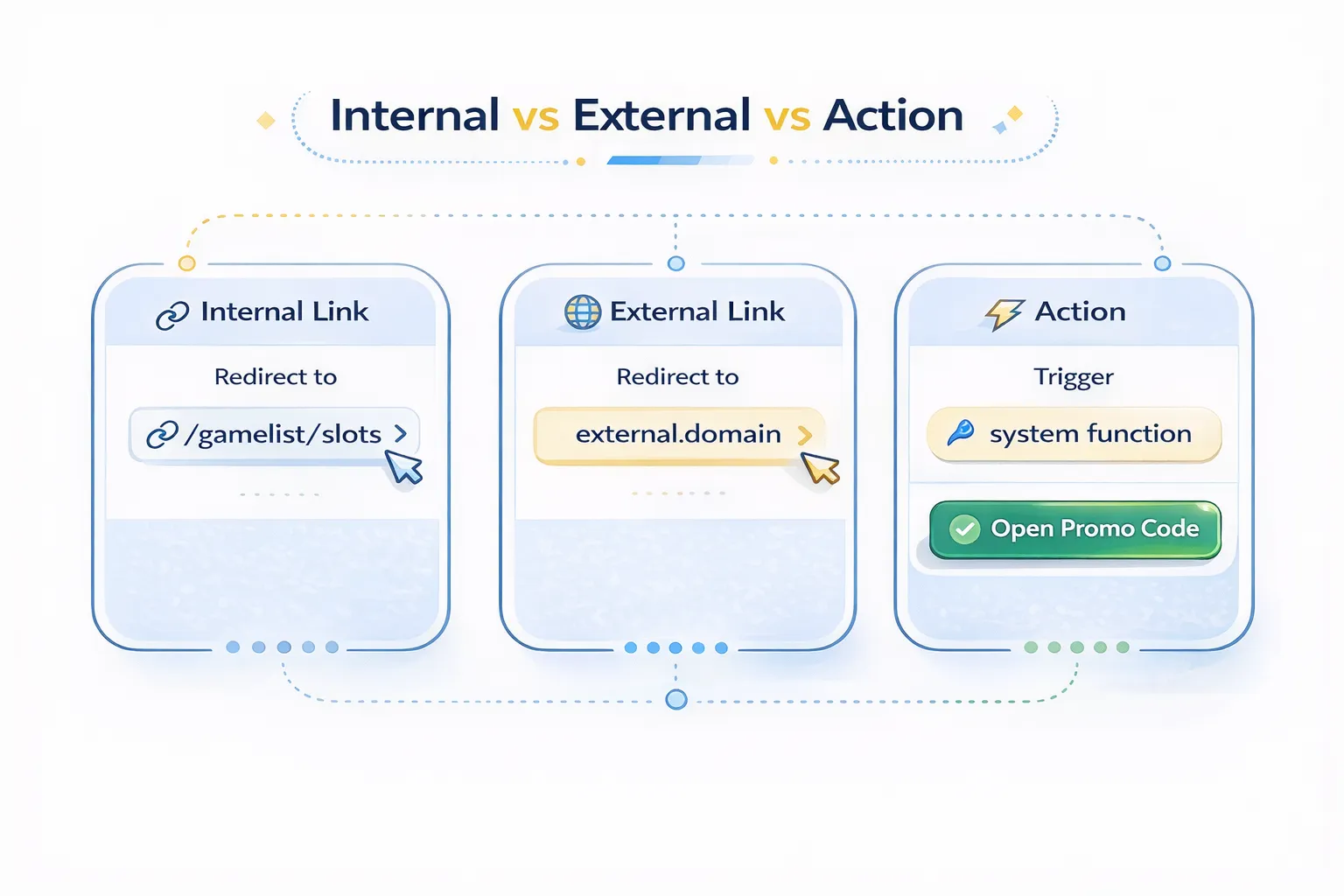
It allows:
- Opening deposit modals
- Triggering promo code popup
- Launching system panels
Sidebar can trigger behavior, not just redirect.
Appendix: Sidebar Field Reference
Each sidebar item supports:
- Multi-language Display Name
- Badge (NEW / HOT)
- Icon Type
- Custom Color
- Link Type
- Enable / Highlight
- Submenu structure
Fields are tools. Structure is strategy.
Final Thoughts
Building a Sustainable Gambling Platform Requires Structural Thinking.
That is where real operational advantage begins.