Part 1: Building the Platform — Creating Your Company and First Operator
This first article focuses on the actual starting point: creating a company account, setting up an operator, and launching your first site — BetQ using Speedix.
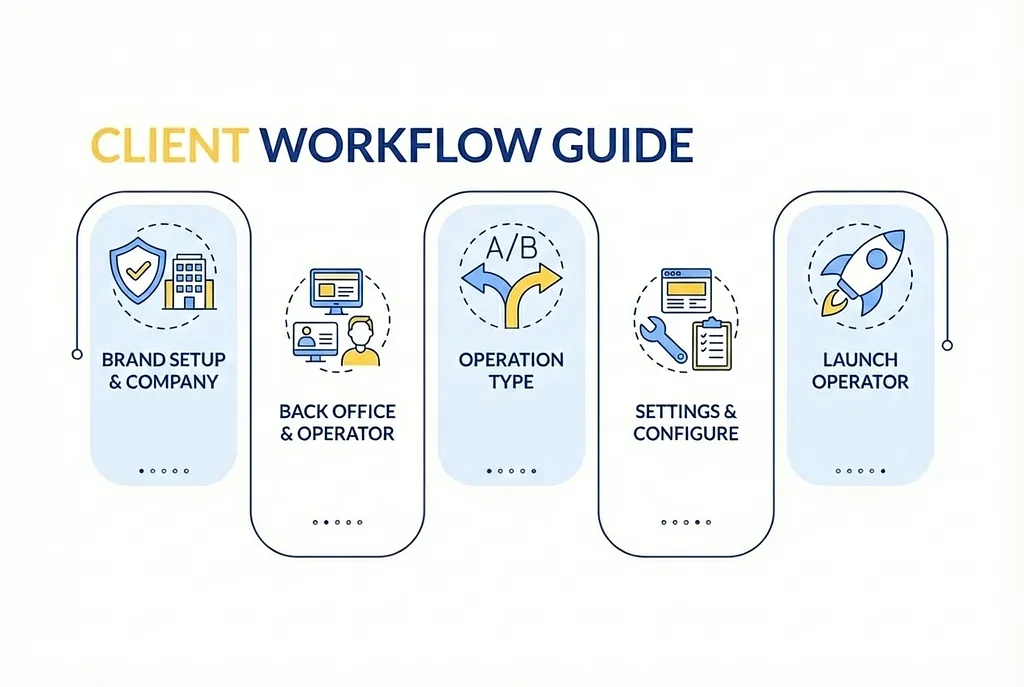
A High-Level Overview: How Speedix Works End to End
Before we talk about fields, buttons, or configurations, let’s zoom out.
Below is the full lifecycle of building and running a platform on Speedix, from idea to live operation.
Speedix Building Workflow
1. What Is Speedix?
Before diving into the steps, it is important to clarify what Speedix is, and what it is not.
Speedix is a white-label gaming platform system that allows you to create your own branded gambling website without developing the entire infrastructure from scratch. It provides a ready-made backend, account system, operational logic, and extensible architecture.
However, it does not replace strategic thinking, risk control decisions, or operational discipline. It simply gives you a solid foundation.
2. Creating Your Company: You Are Defining a Business, Not Just a Website
The first step in Speedix is creating a Company, not a site.
Click Start Free in the top-right corner to create your Company account.
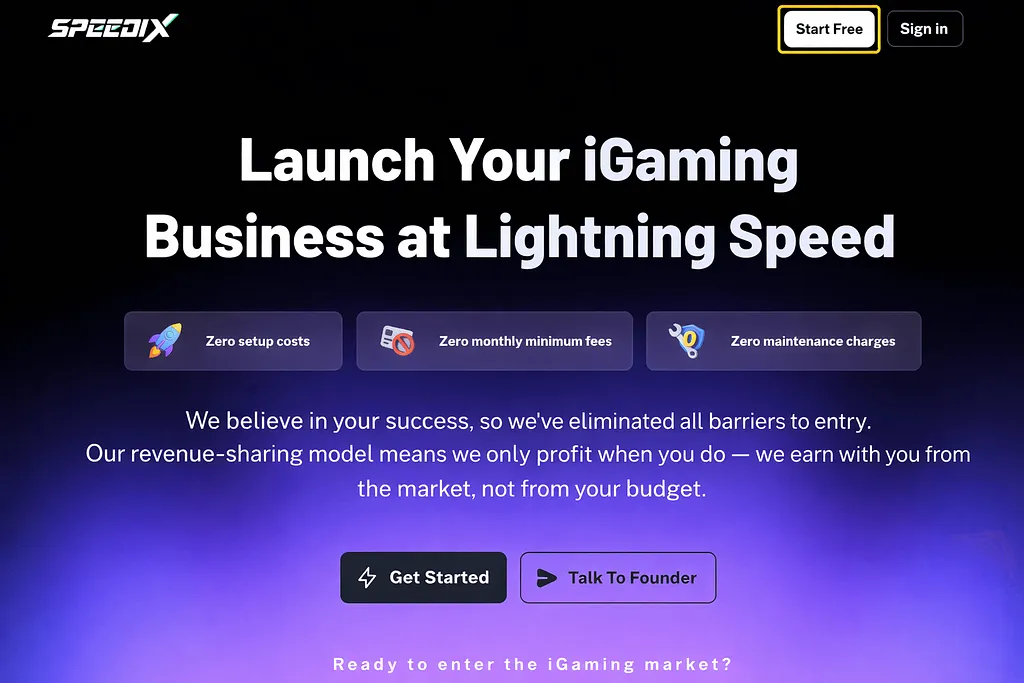
This is a design choice I strongly agree with.
In Speedix:
- A Company represents your business entity
- All operators, sites, permissions, and configurations belong to a company
- This structure forces you to think in terms of organization, not shortcuts
How the process works
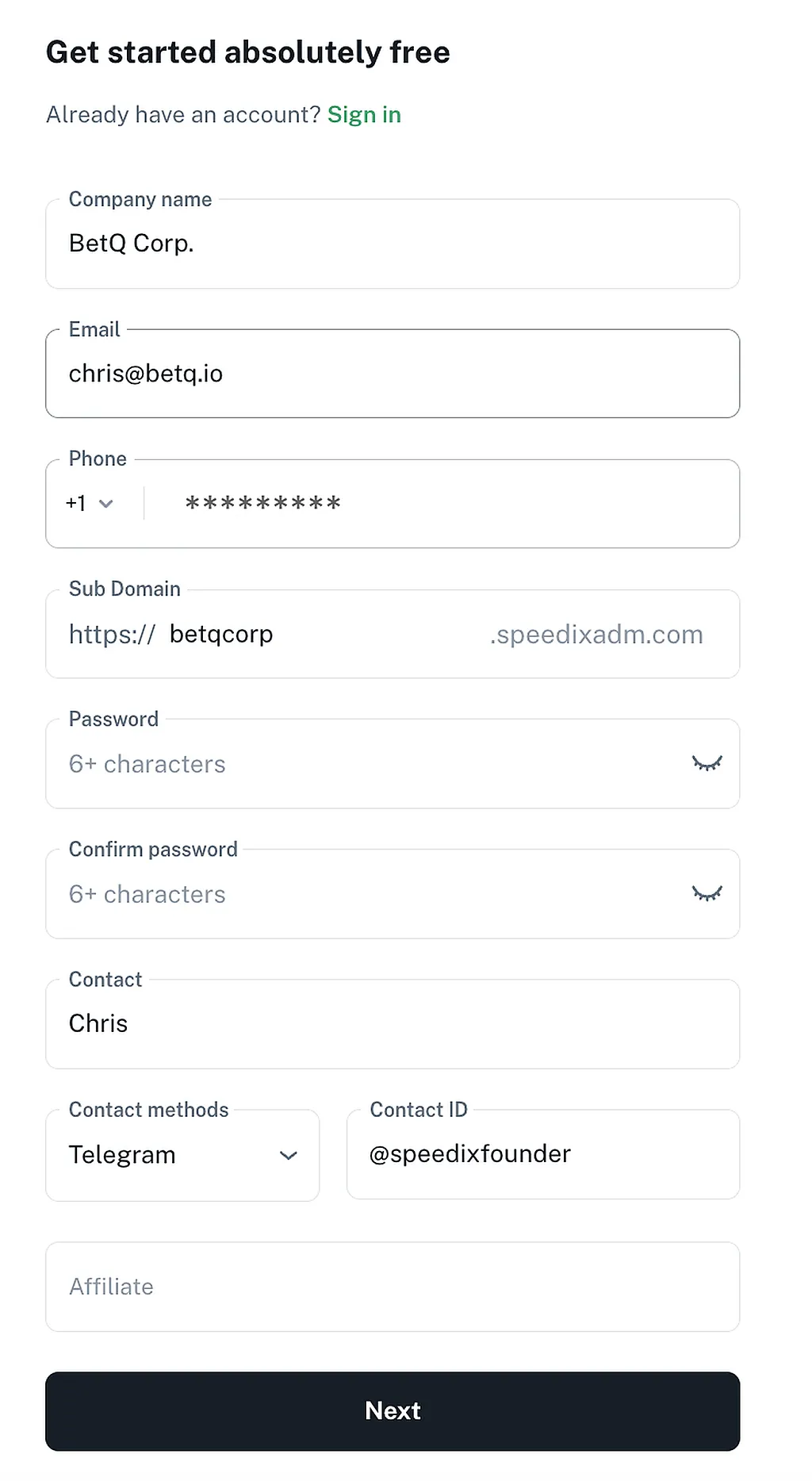
- Go to the Speedix website and click Start Free
- Fill in the registration form (sub-domain, email, password, etc.)
- Submit the form and verify your email using the confirmation code
After verification, Speedix automatically creates your Company Back-Office URL and sends the login credentials to your email.
At this point, your company exists inside the system.
Why this step matters
Many platforms fail later because the initial company and permission structure is poorly designed. Even if you are working alone, this step defines:
- future team boundaries
- accountability
- and how scalable your operation can become.
3. Creating Your First Operator: Structure Before Speed
After logging into the back office, the next step is to create an Operator.
An Operator in Speedix represents a specific website or brand. One company can have multiple operators, each with independent configurations.
This separation is crucial if you ever plan to:
- run multiple brands,
- test different markets,
- or separate risk and operational strategies.
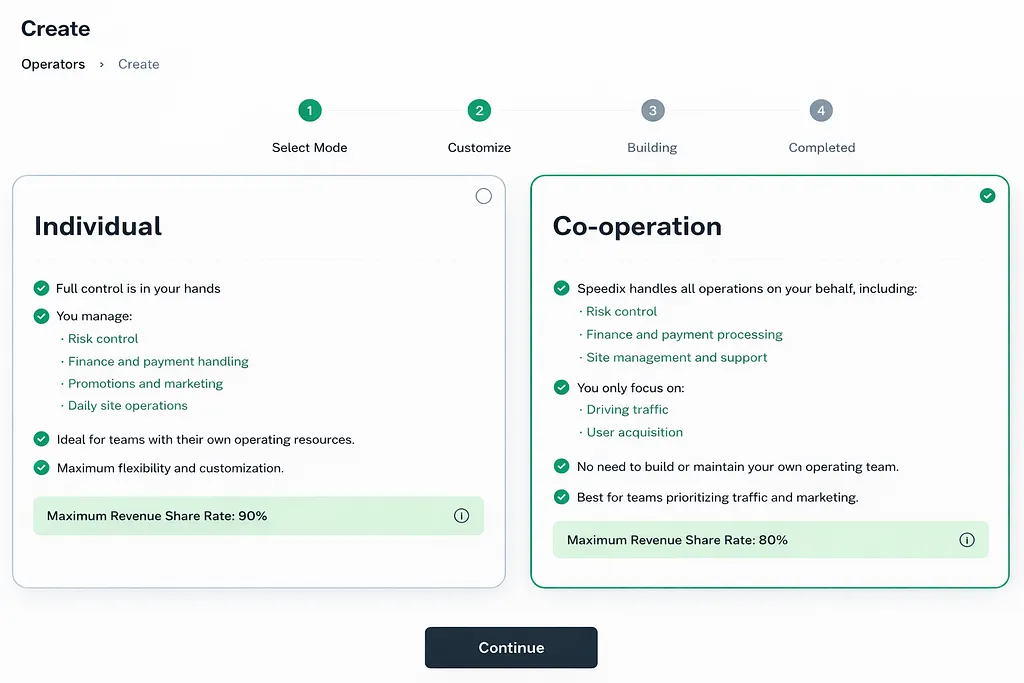
Operator modes
When creating an operator, Speedix provides two options:
- Individual: you fully manage the operator yourself
- Co-operation: Speedix participates in certain operational aspects
4. Choosing a Template: This Is a Strategic Decision
Speedix currently offers several site templates, including:
- All-IN-ONE (Mobile-First) — Designed for mobile-focused markets with faster deployment
- All-IN-ONE (Responsive) — Supports both PC and mobile devices, suitable for broader audiences and more complex setups
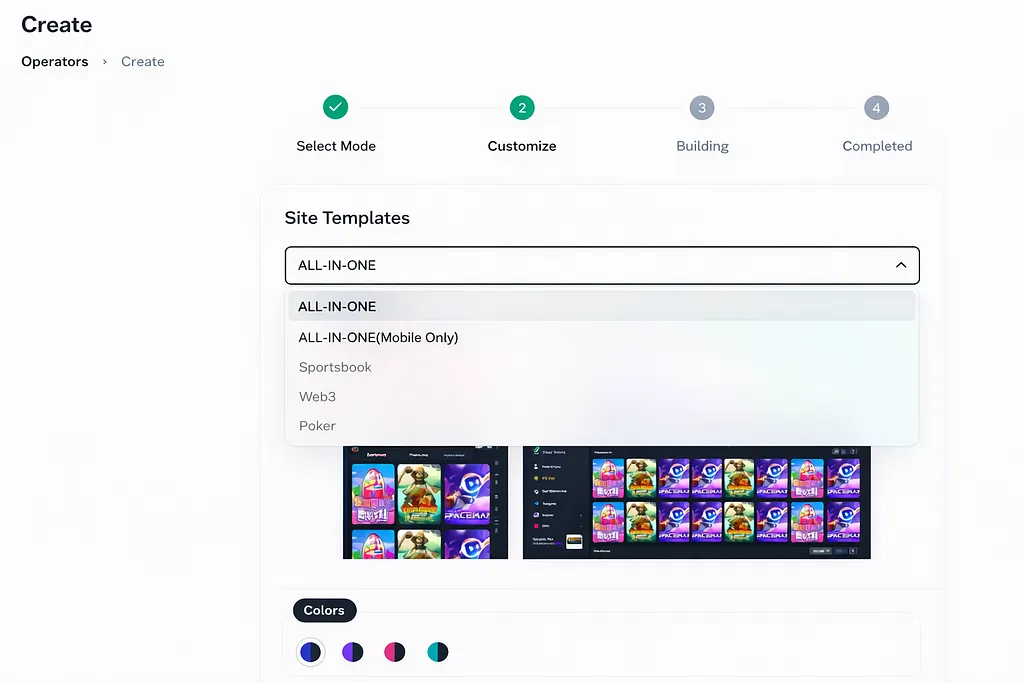
I selected the All-IN-ONE Responsive template, based on my target user behavior and long-term expansion plans.
Template selection may look cosmetic, but it directly impacts:
- user experience,
- payment options,
- and future customization limits.
5. Configuring Operator Details
After selecting a template, you must configure key operator details, including:
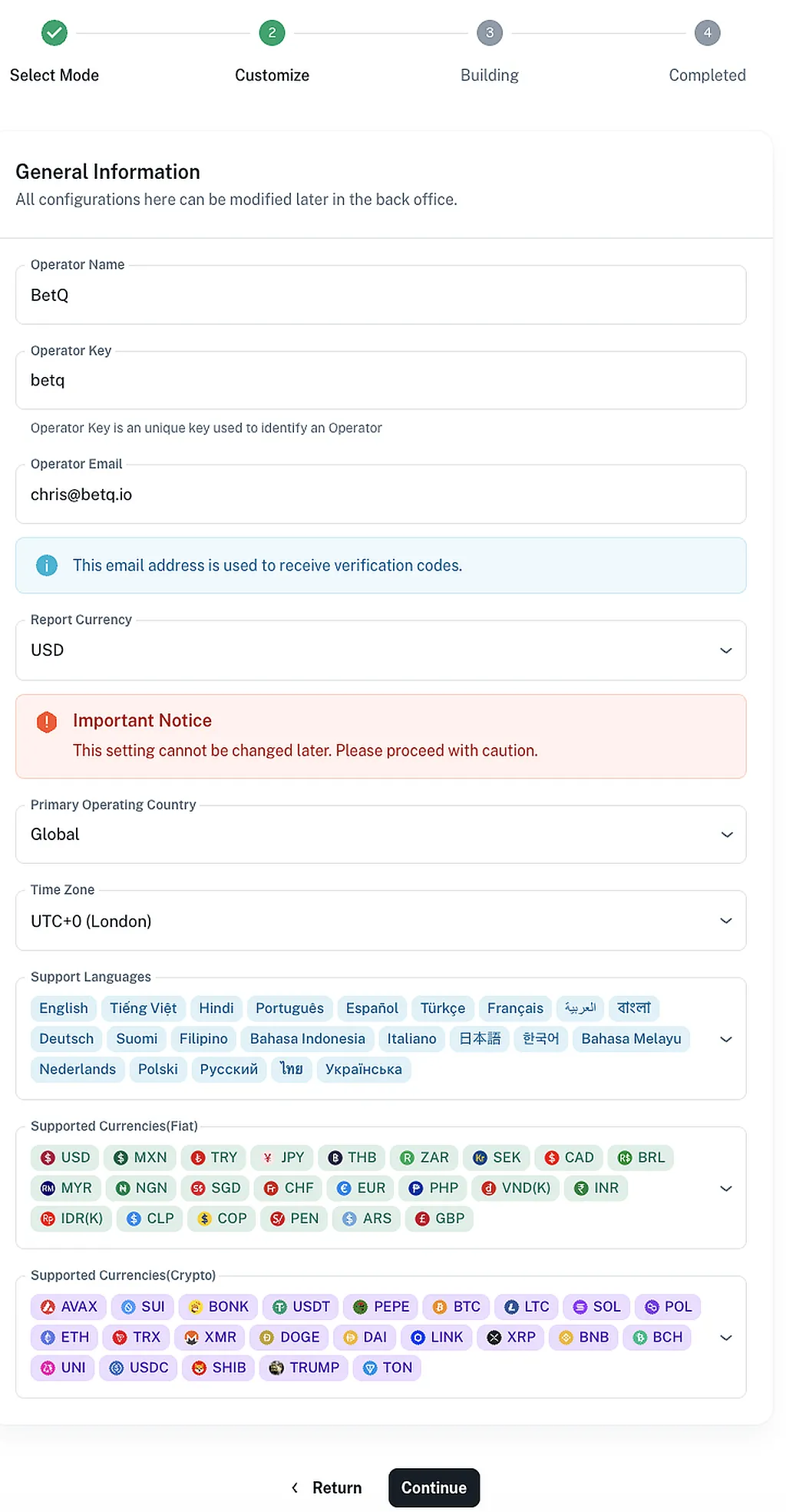
- Report Currency — This defines how all backend financial reports are displayed and calculated
- Basic branding and operational parameters
This step should not be rushed. Your reporting currency affects:
- data consistency,
- financial analysis,
- and decision-making accuracy as the platform grows.
Once completed, Speedix sends a confirmation email containing the operator details.
6. Your First Site Is Created — But You Are Not “Live” Yet
After finishing these steps:
- Your Company is created
- Your first Operator is configured
- Your site is accessible — https://betq.io
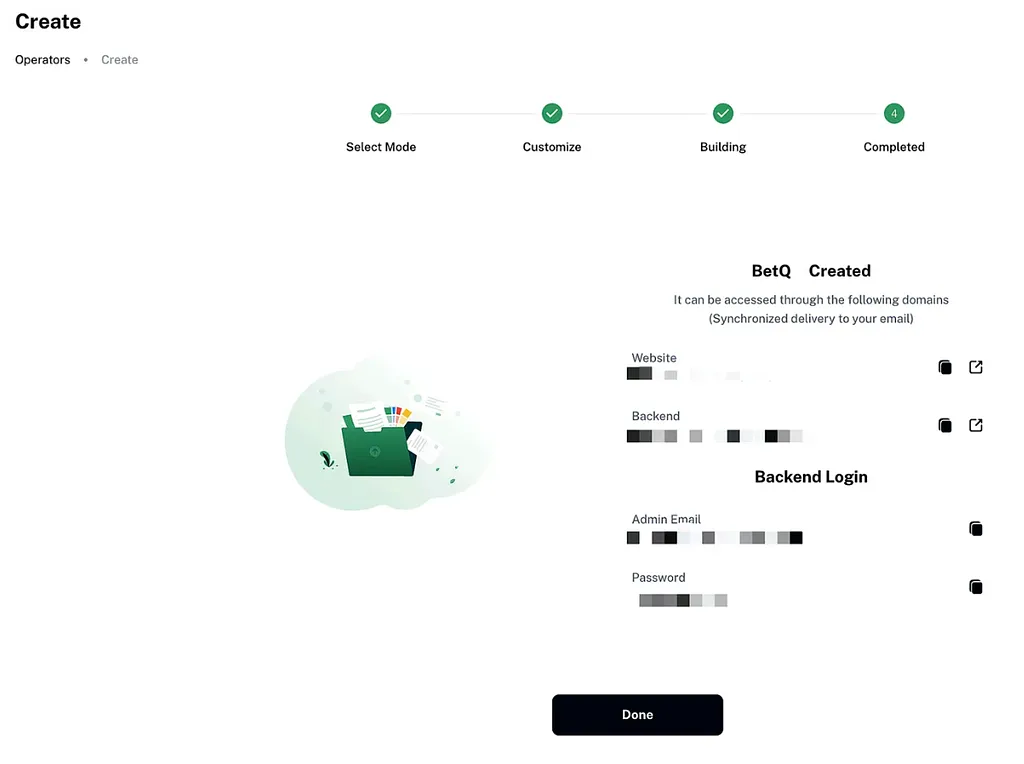
However, this is not the end, and it is certainly not “going live”.
At this stage, you have only built the structural foundation.
What comes next, and what really matters, includes:
- account system logic,
- fund flow design,
- payment integration,
- risk control rules,
- and operational strategy.
These are the areas where most platforms succeed or fail.
Closing Thoughts
This blog is not about shortcuts or hype.
It is about building things properly, understanding trade-offs, and making informed decisions at each stage.
In the next article, I will dive into:
Configuration Before Launch: Making Your Gaming Platform Look Ready and Work Properly
If you are working in this industry, I hope this blog becomes a place for real experience sharing, not just another product promotion site.
We start from zero and we build it right.